Webflow MCP 2.0 for Building and Managing Sites With AI Agents


TL;DR
- Webflow MCP 1.0 tied element, component, style, and variable work to a live Designer session, which capped how far automation could go.
- MCP 2.0 removes that requirement for the core build surface and adds five new capability areas, while still enforcing roles and logging every agent action.
- Before opening broader access, a team should define the roles, branches, and Agent Instructions the agent will inherit.
Webflow MCP 2.0: Building and Managing Sites With AI Agents
Webflow MCP 2.0 is the newest version of Webflow's Model Context Protocol server. The main change is that most operations on elements, components, styles, and variables no longer require an open Designer session. That removal of the Designer session requirement is what finally lets agents like Claude, Cursor, and ChatGPT build and manage production sites directly, under workspace permissions and a full audit trail.
What Webflow MCP 2.0 Changed
Webflow's MCP server has always used two separate paths into a site, the Data API for CMS content, pages, and assets, and the Designer API for the canvas itself, elements, components, styles, and variables. The Data API side always worked without an open Designer.
The Old Bottleneck, the Bridge App
The Designer API side required someone to physically open the site in the Webflow Designer, launch the Bridge App from the Apps panel, and keep that session alive while the agent worked. Every small text edit on a button depended on a human sitting at a computer.
For agencies that wanted agents running overnight or in batch operations across dozens of pages, this was a hard blocker, not just an inconvenience.
What Now Works Without a Session
In Webflow MCP 2.0, that blocker is removed for most of the Designer API surface. Without any open session, agents can now work with:
- The full element tree, text, styles, links, images, attributes, tags, visibility, and display names
- Components, including instances, props, slots, and variants
- Styles and combo classes, including per style variable modes
- Variables, color, font family, number, percent, size, and their collections
Agents can also build entire elements on a page from a schema, or insert raw HTML and CSS directly. For anyone who has been following the wider space of no code integrations, this is the change that matters more than any single new tool, since it turns MCP from an assisted layer into something closer to a genuine build interface.
What is the biggest change in Webflow MCP 2.0? The biggest change is that elements, components, styles, and variables no longer require an open Designer session. Agents work directly through the Data API, which opens the door to genuine automation instead of work that depends on a human keeping a session open.
According to Webflow's official documentation, several tools were also renamed, for example set_id is now set_dom_id. Teams with older skill files should update them to match the new naming.
The Five New Capability Areas
Beyond removing the Designer session, MCP 2.0 opens five entirely new areas of a site, and all five work without any session at all.
Analyze Reporting
Agents can pull traffic for a chosen window, rank a site's top pages, break down dimensions like country or traffic source, and read time on page, all through conversation. This is only available for sites with Webflow Analyze enabled.
Forms and Submissions
Agents read a site's forms and their schemas, list and retrieve submissions with filters, update hidden fields, and delete submissions. This is useful for teams connecting forms to a CRM.
Custom Fonts
Agents list, upload, replace, and remove font files. The limitation is that this covers only manually uploaded files, not remotely hosted Google or Adobe fonts.
Sitemap Indexing
Agents read, update, and bulk update sitemap inclusion, for both CMS items and static pages. For sites with a large number of CMS items, this means indexing rules can be applied across hundreds of items at once.
Agent Instructions
This is conceptually the biggest addition. Agent Instructions are markdown rules that live on the site itself and reference the site's own variables, styles, and CMS data, and those references resolve instantly. Shared Libraries can distribute these rules across an entire workspace.
What are Agent Instructions in Webflow MCP 2.0? Agent Instructions are markdown rules and skill definitions that live on the site and reference its own variables, styles, components, and CMS data. Agents receive them automatically and can search, read, and edit them directly, so brand rules travel with the agent without manual updates.
Alongside these five, existing tools were expanded too:
- Pages, bulk settings updates and schema editing
- Assets, full folder management and compression
- Custom code, direct read and write access at the site and page level
What Still Requires an Active Designer Session
A few actions have not moved out of the Designer:
- Element snapshots, capturing a visual state to verify work before publishing
- Selection and canvas navigation, selecting an element, reading the page, mode, and branch
- Uploading an image from a URL
These three are inherently tied to what a human is currently looking at on screen, so it makes sense they stay bound to a live session.
What still requires a Designer session in Webflow MCP 2.0? Element snapshots, selection and canvas navigation, and uploading an image from a URL still require an open Designer session through the Bridge App. For fully independent work, an agent can publish to a staging domain and verify the result there instead of relying on a snapshot.
Who Should Use Webflow MCP 2.0
It does not look the same for every team. What a team gets out of it depends on who is holding the agent.
Marketing and Content Teams
Marketing teams get the most out of Analyze reporting and Agent Instructions. Instead of waiting on a developer to prepare a report, they can ask an agent directly about traffic, top pages, and conversions, while Agent Instructions keep tone and brand rules consistent even when three different people are prompting the same agent.
Developer and Agency Teams
For developers and agencies, the biggest benefit is that an agent can work on the design system, components, and variables without an open Designer, which means batch edits, style refactors, or bulk component updates can run as a background task instead of a session someone has to watch live.
Enterprise Teams With Multiple Brands
Enterprise teams running multiple brands or workspaces get the most out of the governance side, custom roles, audit logs, and branch based work, since those are exactly the mechanisms that let them give agents broader access without losing control over who can change what. Working with an experienced Webflow design agency to set that governance layer up correctly the first time avoids most of the friction teams run into later.
Agent Task Examples by Industry
The theory about permissions and branches makes the most sense next to concrete tasks. Here is what it looks like across three types of businesses.
SaaS and Software Teams
A software team that frequently changes its pricing page or adds a new product feature can let an agent update feature list components across a dozen pages at once, based on a single CMS collection change. Since that edit happens on an isolated branch, product marketing can review the result before it goes live, without risking a broken pricing page while visitors are buying.
Recruitment and Staffing Agencies
Staffing agencies often sync hundreds of job postings from an ATS into a Webflow CMS. An agent can combine Forms and submissions with Sitemap indexing to automatically exclude postings older than a set date from the sitemap, while updating hidden fields on submissions to route them to the right recruiter.
E-commerce and Product Catalogs
For product catalogs with thousands of items, Custom fonts and Analyze reporting together let an agent identify which product categories have the weakest engagement, then propose a design system change, for example a new product card component variant, before that change is applied across the entire catalog.
Does Webflow MCP 2.0 make sense for smaller sites? It does, but the biggest value shows up on sites with enough pages, CMS items, or team members that manual management becomes a bottleneck. For a five page site with no CMS, the benefit is smaller than for a site with hundreds of CMS items and multiple people editing it.
Writing Agent Instructions in Practice
Agent Instructions are most useful when they are specific, not when they repeat obvious things.
What to Put in the First Instruction
The first instruction on any site should cover basic brand voice, words to avoid, and which components already exist in the design system. A good first instruction usually includes:
- Brand tone and voice in two to three sentences, with concrete examples of what is and is not acceptable
- A list of components the agent should reuse instead of building new ones from scratch
- A rule for when the agent must ask for approval before continuing
A Common Problem, Instructions That Go Stale
The most common mistake teams make with Agent Instructions is writing them once and forgetting them. Since references inside the instructions resolve instantly against the site's current data, the instruction rarely goes stale technically, but tone and rules can go stale when the brand changes and nobody remembers to update the instruction text.
Webflow MCP 2.0 and WordPress to Webflow Migrations
A WordPress to Webflow migration is the moment when governance matters most, since a huge number of pages change in a short window.
Why Governance Matters Most During a Migration
During a migration, an agent often works through hundreds of pages, redirect mappings, and CMS collections in a short period of time. Branch based work lets that entire job happen in isolation and get reviewed before a single page goes live, while the audit log gives a clear trail of who changed what if something needs to be reverted.
An Example From Practice
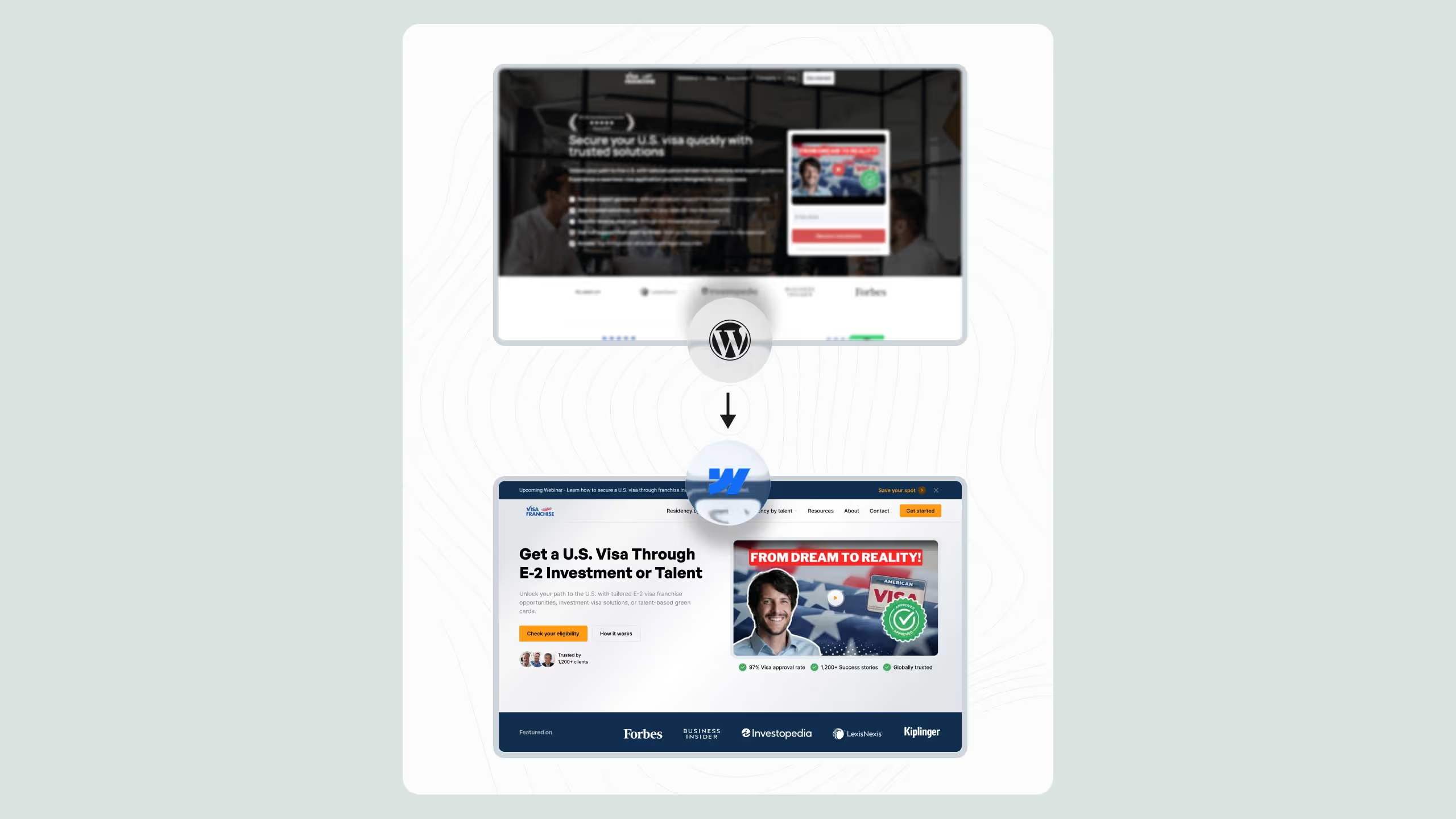
When a franchise business client launched a redesigned Webflow site with rigorous structured data and redirect mapping enforced throughout, Broworks recorded 263 percent organic traffic growth within three months of launch. Results like that depend on no step of the migration going unnoticed, which is exactly what the governance model inside MCP 2.0 provides when an agent is doing a large share of that work.
How This Affects SEO and AEO Work
Agent access to Analyze data and sitemap indexing touches SEO and AEO work directly, not just the build side of a site.
Faster Discovery of SEO Problems
Instead of someone manually reviewing reports once a month, an agent can check top pages and engagement events every week and flag pages whose traffic has dropped below expectations, before that drop becomes a trend that is hard to reverse.
Sitemap Hygiene at Scale
For sites with a large number of CMS items, manual sitemap cleanup of stale or thin pages rarely happens consistently. An agent that bulk updates sitemap inclusion based on a clear rule, such as last edit date or word count, keeps the sitemap clean without it becoming a monthly administrative chore.
The Connection to AEO Work
For teams already working on being cited by AI models, Broworks' AEO work relies on structured content and accurate schema markup. An agent with access to page schema through the expanded Pages tools can help keep that structure consistent across hundreds of pages, not just the ones someone manually reviews.
Security Considerations for Enterprise Teams
For teams with stricter security requirements, MCP 2.0 offers a few concrete guarantees.
Audit Trail for Compliance Teams
Every agent action is logged with a clear AI attribution in the same audit log the rest of Webflow uses, which means a compliance team does not need a separate report, the same trail they already use for human edits covers agent edits too.
Limiting the Scope of Access
Since each authorization covers exactly one workspace, expanding an agent's access to additional brands or sites requires a conscious, separate action, not the accidental spread of a single token.
How Webflow MCP 2.0 Governs Agent Access
This is the part that separates MCP 2.0 from a general purpose code assistant.
Permissions and Custom Roles
MCP enforces the workspace's existing permissions. If a user cannot do something in the Designer, an agent acting on that user's behalf cannot do it through MCP either.
Audit Log
Every change an agent makes is written to the site's audit log with a clear label showing it was an agent, not a human.
Branch Based Work
Agents can build on an isolated page branch, fully separate from the live version, and merge changes only once they have been reviewed.
What if Multiple Agents Work at Once
When two different agents, say one for content and one for the design system, work on the same site, branch based work keeps their changes from colliding at random. Each agent can get its own branch, and merging at the end goes through the same review as any other change, regardless of how many agents are involved.
One Workspace Per Authorization
Each authorization applies to one workspace. Agencies managing multiple clients should plan reauthorization as a routine step, not an exception.
How does Webflow MCP 2.0 enforce governance over agents? MCP 2.0 enforces the workspace's existing roles and custom permissions, writes every agent change to the site's audit log, and supports work on isolated branches before anything is published to the live site.
Webflow MCP 2.0 versus AI Native Code Generators
AI native code generators are fast at producing a working page. But most of them have no concept of a workspace role, no audit trail, and no branch that isolates a change before publishing.
Webflow reports that more than 30 percent of enterprise customers use MCP, with usage up more than four times since January 2026. Arkose Labs used Claude Code through MCP to rebuild a decade old WordPress site in days, not months.
Known Limitations to Know About
A few boundaries are worth keeping in mind before rolling this out broadly:
- Interactions, IX3, still have to be built manually in the Designer
- Some upload processes require a two step flow that can fail if the network blocks the outbound request
- One authorization covers only one workspace
- Localized CMS items cannot be created through MCP, only read and updated in secondary locales
What This Means for Teams Already on MCP 1.0
Moving from the first version is not entirely friction free.
Checking Tool Naming
Several actions were renamed or relocated, so any skill file or automation written against MCP 1.0 should be checked against the migration guide before it runs in production.
Testing Before Widening Access
Before expanding access to more sites or workspaces, it makes sense to run an agent on one lower stakes site first, confirm its behavior matches older skill files, and only then widen the rollout.
The Staging Workflow in More Detail
For teams that want an agent to work fully on its own, a staging domain is the practical solution Webflow directly recommends.
Why Staging Replaces Snapshots
A snapshot requires a live Designer session because it reads the current state of the canvas. A staging domain solves the same problem differently, an agent publishes a branch to a staging URL, then reads that URL like any other page, without anyone needing to keep the Designer open.
What to Check Before Merging Into the Live Branch
Before a branch merges into production, it is worth checking a few things on the staging version:
- Whether CMS bindings still display correctly after the change
- Whether links are still valid after any element was moved
- Whether the page still passes a basic load speed check
What Broworks Recommends Before the First Agent Task
Before any client team lets an agent onto a production site, it is worth running a short internal check, not just a technical one.
Who on the Team Gets Connector Access
Not the whole marketing team needs connector access on day one. It is safer for one or two people to test the workflow first, document what worked and what did not, and only then extend access to the rest of the team.
How to Measure Success on the First Task
The first agent task should not be something critical like editing the pricing page. A better choice is something measurable and easy to verify, such as updating alt text on ten images, or adding one new CMS item following a template that already exists. Success is measured by whether the result on the branch matches what a human would have done, not by speed.
When It Makes Sense to Bring In an Agency
For teams without an in house developer, it makes sense for an agency like Broworks to set up the first round of Agent Instructions and roles, with the client team taking over day to day use of the agent once those rules are already in place. This is the same handoff principle Broworks applies on regular Webflow projects, the goal is for the client to end up running the system independently.
How Teams Safely Roll Out Agentic Work in Production
- Map existing roles and permissions before the connector is even connected
- Write Agent Instructions covering voice, tone, and brand rules
- Connect the connector only to the workspace being tested
- Run the first task on an isolated branch, not the live version
- For unsupervised work, point the agent at a staging domain
- Check the audit log after the first few tasks
A recruitment client Broworks migrated to Webflow saw 200 percent organic traffic growth and 5x candidate applications after launch. A governance model like this is what makes it safe to hand a production site like that to an agent.
.svg)
.svg)