E-E-A-T in SEO: Webflow Authority Signals

TL;DR
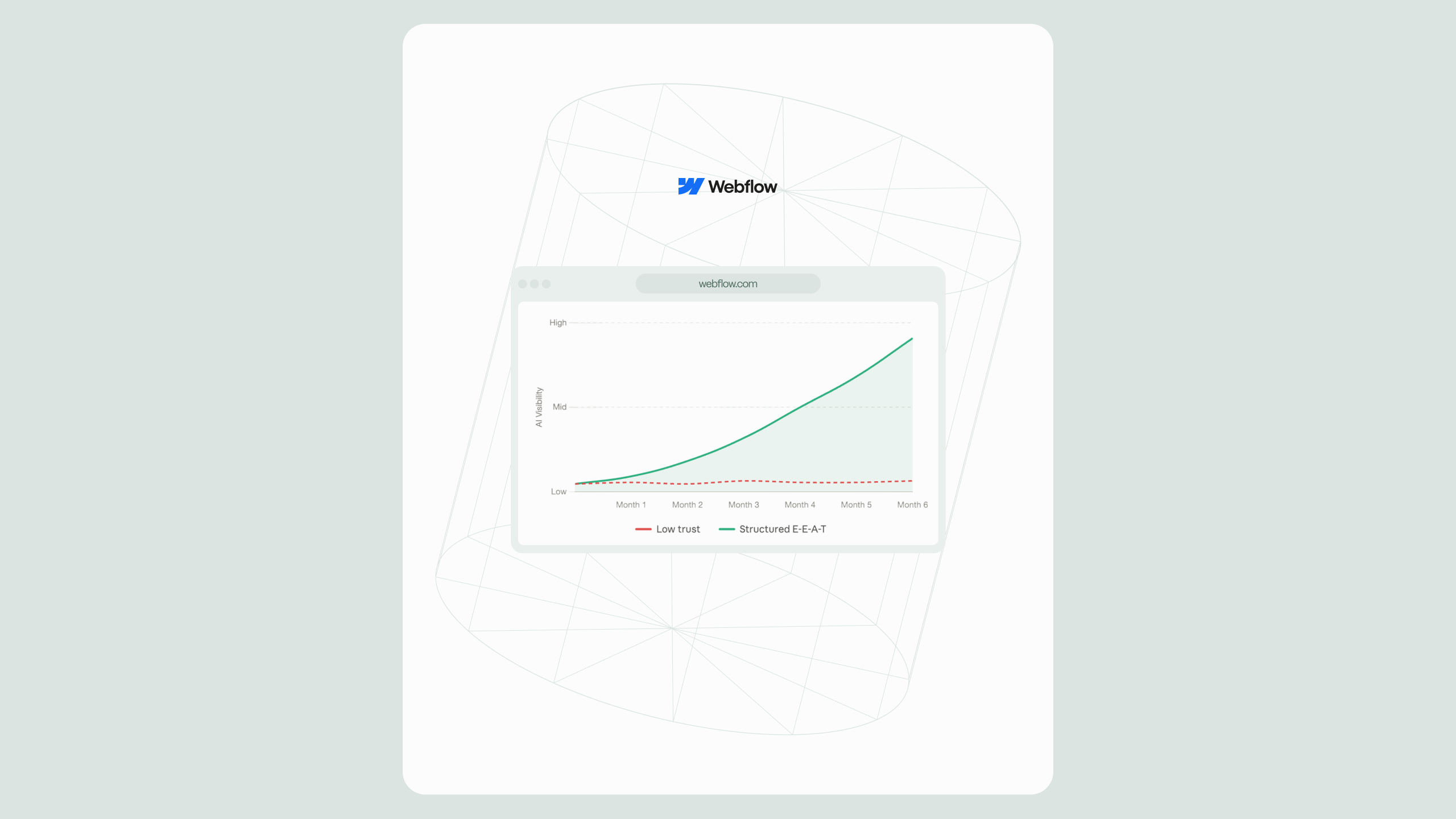
If your Webflow site reads well but still stalls in rankings, the problem usually lays in your credibility signals. E-E-A-T in SEO refers to Experience, Expertise, Authoritativeness, and Trustworthiness, the framework Google's human quality raters use to judge whether a page deserves to rank, and it is the single biggest gap separating good-looking Webflow builds from Webflow builds that actually convert organic traffic. Google has been explicit that E-E-A-T is <cite index="4-1">not itself a ranking factor, but a set of criteria used by trained raters to assess whether Google's automated ranking systems are surfacing genuinely helpful, reliable content</cite>. That distinction matters, because it means E-E-A-T isn't a plugin you install or a checkbox you tick in Webflow's page settings, it's an editorial and technical discipline that has to be built into how your site is structured, authored, and cited across the web.
This guide breaks down what E-E-A-T in SEO actually requires on a Webflow build in 2026: how the framework has changed, what author bios and Person schema need to look like, how case study pages should be architected, which off-site citation signals matter, how to implement structured data natively in Webflow, and how agencies operationalize all of this consistently across client sites.
What E-E-A-T in SEO actually means for Webflow teams
E-E-A-T stands for Experience, Expertise, Authoritativeness, and Trust, and it's the core evaluation lens described throughout <cite index="5-1">Google's Search Quality Rater Guidelines, the document raters use to assess the quality of a webpage</cite>. The framework was originally published as E-A-T and <cite index="1-1">Google added the second "E" for Experience in late 2022</cite>, a change that reflected a shift in how search intent is served: <cite index="1-1">many queries are better answered by firsthand, lived insight than by purely academic or third-party explanation</cite>.
It's worth being precise about what E-E-A-T is not. It is not a line item in Google's ranking algorithm, and there is no numeric "E-E-A-T score" attached to your domain. Instead, <cite index="7-1">E-E-A-T is a criteria set that human quality raters apply when evaluating page quality, and rater evaluations function as a feedback signal rather than a direct ranking input</cite>. Google itself frames it as a diagnostic lens: <cite index="4-1">reading the guidelines can help you self-assess your content's E-E-A-T and align it conceptually with the signals your automated systems already reward, using the framing of "Who, How, and Why."</cite>
Key definition for quick reference: E-E-A-T in SEO is Google's quality rater framework, Experience, Expertise, Authoritativeness, and Trust, used to train ranking systems to reward content created by credible, verifiable sources rather than to directly score individual pages.
This distinction matters most on YMYL pages, content that touches "Your Money or Your Life" topics like health, finance, safety, or civic information. <cite index="5-1">Raters apply very high page-quality standards to YMYL topics because low-quality pages on these subjects could negatively impact a person's health, financial stability, safety, or the well-being of society at large</cite>. Most Webflow builds for B2B SaaS, fintech, healthtech, and professional services touch YMYL territory somewhere, pricing pages, security claims, compliance content, which is exactly where weak authority signals do the most damage.
If your team is mid-build and weighing where E-E-A-T fits into scope, it pairs naturally with the technical foundation laid during enterprise Webflow development, since author schema, structured data, and case study templates are far cheaper to bake into the CMS architecture than to retrofit later.
What changed in Google's latest quality rater guidelines
The Quality Rater Guidelines (QRG) are not published on a fixed annual schedule, and as of mid-2026 the most recent substantive update remains the one <cite index="8-1">Google released on September 11, 2025, a revision to the roughly 182-page document that around 10,000-16,000 human quality raters worldwide use to manually evaluate search result quality</cite>. It's important to be accurate about what this document is: <cite index="7-1">it is an evaluation guide for human raters, not the search algorithm itself, and it is a distinct entity from Google's Helpful Content System</cite>.
Three changes from the most recent rounds of updates are directly relevant to Webflow teams building for E-E-A-T:
- YMYL scope expanded. <cite index="8-1">The previous "YMYL Society" category was renamed "YMYL Government, Civics & Society,"</cite> a change that <cite index="7-1">explicitly folds in elections, institutions, and trust-related content</cite>. If your Webflow site publishes anything touching public policy, compliance, or institutional trust, expect higher scrutiny.
- New spam categories were formalized. Recent QRG revisions <cite index="6-1">named scaled content abuse, expired domain abuse, and site reputation abuse as explicit spam categories, with AI-generated content that adds zero value to the reader now qualifying for the Lowest quality rating</cite>.
- AI content is evaluated on merit, not origin. <cite index="3-1">Google has clarified that content quality is assessed regardless of whether a human or an AI system produced it</cite> meaning the presence of AI tooling in your content workflow isn't disqualifying, but unedited, low-value AI output is treated the same as any other thin content.
None of these changes replace the fundamentals. <cite index="4-1">Search raters still have no control over how individual pages rank</cite> their job is to tell Google whether its automated systems are working as intended, the way a restaurant reads feedback cards. What the updates signal is where Google is tightening enforcement: scaled, low-effort content and unverifiable authorship are the two areas facing the most pressure heading into the second half of 2026.
Author bios and person schema: the experience signal most Webflow sites skip
Of the four E-E-A-T pillars, Experience is the hardest to fake and the easiest to under-build on a Webflow CMS. A generic "Written by the Marketing Team" byline signals nothing about firsthand involvement. What raters and algorithms are trained to look for is verifiable, specific authorship: a named person, a real credential, and a body of work that demonstrates they've actually done the thing they're writing about.
On a Webflow build, this comes down to three CMS-level decisions:
- A dedicated Author collection, separate from your Blog Posts collection, with fields for full name, job title, credentials, a short bio, headshot, and links to verified social or professional profiles (LinkedIn, a personal site, published research).
- A reference field on every article that binds each post to one Author item, so bylines are consistent and centrally editable rather than typed manually per post.
- Person schema markup bound to those CMS fields, so the same structured data that appears visually on the page is also machine-readable by search and AI systems.
This is a case where Webflow's tooling has matured. As of early 2026, <cite index="11-1">Webflow added a native schema markup field in Page Settings that can be generated with Webflow AI or written manually, and when applied to Collection pages, relevant dynamic fields, like name, image, and other CMS values, are automatically pulled into the schema</cite>. That means an Author collection with proper field bindings can generate consistent Person schema across every article without hand-coding JSON-LD per post. For teams who prefer manual control, <cite index="12-1">JSON-LD remains the most common format, added as a script tag through Webflow's custom code settings without needing to touch the page's visual HTML structure</cite>.
Quick-reference rule: every published article should answer, at a glance, "who wrote this, what qualifies them, and can I verify that independently?" If the answer requires more than one click, the Experience signal is too weak.
Case study architecture that signals real expertise
Case studies are one of the highest-leverage E-E-A-T assets on a services site, because they combine Experience (we did this work), Expertise (we solved a specific technical problem), and Trust (here's the measurable outcome) in a single content type, but only if they're structured that way rather than written as generic praise.
A case study page built for E-E-A-T should include, at minimum:
Alt text note for any chart or metrics table used on a case study page: describe the metric, the timeframe, and the comparison baseline (e.g., "Bar chart comparing organic sessions before and after Webflow migration, showing growth from month 1 to month 6") so the visualization itself is accessible and machine-readable.
Structurally, each case study should be its own CMS Collection item with fields bound to Article or CaseStudy-type schema, cross-linked to the specific service that solved the problem, for example, a migration case study linking contextually to the WordPress to Webflow migration service page, so both the reader and the crawler understand the relationship between the proof and the offer.
Third-party citations and off-site authority signals
Authoritativeness is judged largely off-page, it's less about what you say about yourself and more about what independent, credible sources say about you. This is also the pillar most affected by AI answer engines, since tools like ChatGPT, Perplexity, and Gemini lean on citation patterns to decide which sources to trust when synthesizing an answer.
Signals worth prioritizing, roughly in order of durability:
- Earned mentions on reputable industry publications, whether linked or unlinked, brand mentions without links still contribute to entity-level recognition.
- Original data or research that other sites cite, since content that only paraphrases existing sources has a structurally weaker citation profile than content built on original findings.
- Consistent NAP and entity data across your Google Business Profile, LinkedIn, industry directories, and your Webflow site's Organization schema, so every system resolving your brand as an entity sees the same facts.
- Guest contributions and interviews on publications with real editorial standards, not link-farm placements, quality and relevance outweigh volume for this signal.
The common thread across current SEO guidance is relevance over volume: a handful of citations from sources genuinely adjacent to your industry carry more weight for Authoritativeness than a large number of low-context mentions.
Structured data implementation in Webflow
Structured data is where Trust and machine-readability meet. It doesn't create E-E-A-T on its own, but it's the delivery mechanism that lets search engines and AI systems actually parse the experience, expertise, and trust signals you've built into your content.
Webflow now supports two implementation paths:
- Native Schema Markup field. <cite index="11-1">Available in Page Settings on any paid Site plan, this field lets you generate schema with Webflow AI or write it manually, and it supports Collection pages so each dynamic item, a blog post, case study, or team member, gets unique, field-bound schema rather than one static block copied across every page</cite>. <cite index="11-1">Reference, multi-reference, and multi-image fields aren't currently supported inside this field</cite>, so complex relational data (like a case study referencing multiple linked services) may still need custom code.
- Custom code / Embed elements. <cite index="12-1">JSON-LD added as a script tag through custom code settings remains fully supported and is the standard method for anything the native field can't handle</cite>, including looping FAQ schema through a Collection List for CMS-driven FAQ pages.
A few implementation rules worth following regardless of method:
- <cite index="11-1">Don't add schema in both the native field and custom code for the same page, pick one location to avoid duplicate structured data</cite>.
- <cite index="14-1">JSON-LD is Google's preferred format over Microdata because it stays separate from your visual HTML</cite>, which keeps a Webflow Designer canvas clean and easier to maintain.
- Prioritize
Organizationschema site-wide,Personschema on author bios,Article/BlogPostingon content, andFAQPageon FAQ-rich pages, these four cover most of the Experience, Expertise, and Trust signals a services site needs. - Always validate before publishing. <cite index="17-1">Test with the Schema Markup Validator to confirm JSON-LD follows the Schema.org specification, and use Google's Rich Results Test to confirm eligibility for rich results in Search</cite> noting that <cite index="11-1">valid schema improves eligibility for rich results but does not guarantee they'll display</cite>.
Teams running structured data across dozens or hundreds of CMS templates, typically standardize schema templates at the Collection level once, then rely on field bindings to keep every new item compliant without manual re-coding.
How agencies operationalize E-E-A-T across client sites
For an agency managing E-E-A-T across multiple Webflow builds, the discipline has to live in process, not memory. A repeatable operating model generally includes:
- A standard CMS architecture, dedicated Author, Case Study, and FAQ collections — built into every project template rather than added ad hoc per client.
- A schema QA step in the launch checklist, validating every templated page type (blog post, case study, service page) against the Rich Results Test before go-live.
- A content freshness cadence, since outdated statistics and stale author information are a recurring Trust weakness; YMYL-adjacent pages typically need more frequent review than evergreen informational content.
- A citation and off-site tracking layer, monitoring brand mentions and backlinks so Authoritativeness signals are visible, not assumed.
- A single owner for entity consistency, one person or role responsible for making sure Organization data, author credentials, and NAP details stay identical across the Webflow site, schema, and third-party profiles.
This is the layer where HubSpot integration work often intersects with E-E-A-T operationally: syncing authenticated author and lead data between HubSpot and the Webflow CMS keeps contact-level trust signals (like verified team bios feeding into gated content) consistent across both systems instead of drifting apart after launch.
Common E-E-A-T mistakes on Webflow builds
- Generic or missing author bylines the single most common Experience gap on agency and SaaS sites alike.
- Duplicate schema from stacking the native Schema Markup field and custom code on the same page, creating conflicting structured data.
- Static Organization schema copied across every page instead of scoped correctly, <cite index="18-1">Organization/logo schema is meant to live on one page, typically the homepage, not repeated globally across the site</cite>.
- Case studies without verifiable specifics vague outcomes ("improved traffic significantly") read as unverifiable and do little for Trust.
- No update cadence, leaving statistics, author bios, and case study metrics stale well past the point they were accurate.
- Treating AI-assisted content as a shortcut rather than a drafting tool, unedited, low-value output is the exact pattern current spam-detection categories are built to catch.
Final thoughts
Strong E-E-A-T isn’t the result of a single optimization, it’s the outcome of thoughtful site architecture, credible content, and consistent technical implementation working together. For Webflow teams, that means building CMS structures that support real authorship, implementing structured data correctly, and backing every claim with evidence that users and search engines can independently verify. These are long-term investments that strengthen visibility across traditional search and emerging AI-powered discovery alike.
Whether you’re launching a new Webflow project, migrating from another platform, or refining an established enterprise site, evaluating E-E-A-T at both the content and CMS level often uncovers opportunities that are difficult to spot in isolation. A structured review of your site’s authority signals can help ensure your Webflow build is positioned to earn trust, not just rankings, as search continues to evolve.
.svg)
.svg)