
Webflow SEO Strategy For Designing High-Intent SERPs Focused Topic Clusters

TL;DR
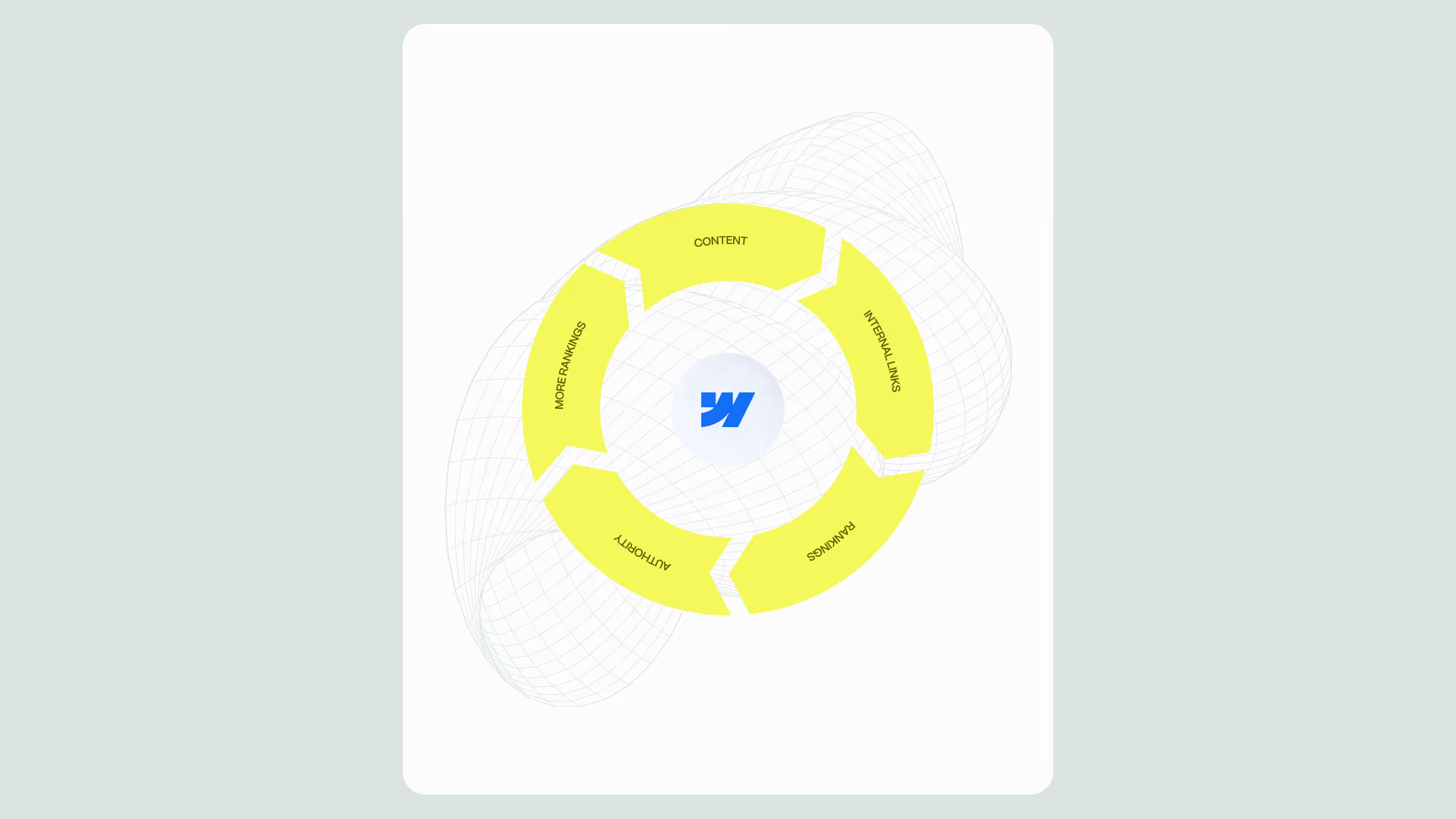
Most corporate websites struggle to rank for high-converting queries because they publish content without structural intent. Pages are created in isolation, often to fill an editorial calendar rather than support a commercial goal. A Webflow topic cluster strategy changes that by organizing content around service intent, ensuring each page supports revenue outcomes. When pillar pages, supporting content, and CMS structure work together through deliberate internal linking, authority compounds and the site moves from chasing rankings to owning topic spaces.
Core principles:
- Align content with buyer and service intent
- Connect pillars and clusters strategically
- Use internal linking to reinforce topic ownership
- Measure growth by qualified demand, not vanity traffic
If you are managing a corporate or mid-market website and want to consistently appear at the top of search results for the services you actually sell, a scattered, page-by-page approach to content will not cut it. A deliberate Webflow SEO strategy built around commercial topic clusters is what separates brands that rank for transactional queries from those that publish blog content and wonder why it never converts.
Topic clusters are not a new concept, but most teams misapply them. They publish loosely related articles, add a few internal links, and call it a cluster. What actually moves the needle, especially in competitive B2B and SaaS verticals, is designing clusters around service intent from the start, building topical authority through content depth, and engineering internal linking architecture so Google understands your site's hierarchy, expertise, and relevance signals simultaneously.
This article walks through exactly how to do that inside Webflow, from pillar page strategy through to CMS-powered cluster scaling.
What is a high-intent topic cluster in Webflow SEO?
A topic cluster is a group of content pages organized around a central pillar page, connected through intentional internal links. The pillar covers a broad topic at a high level, while cluster pages go deep on specific subtopics.
In the context of Webflow SEO, a high-intent cluster means every piece of content exists to support a commercial or transactional goal. You are not building topical breadth for its own sake. You are building a structured argument to search engines that your site is the most authoritative, most relevant destination for a specific buyer intent.
For example, if your core service is enterprise web design, your pillar page might target "enterprise web design agency," while cluster pages tackle queries like "how to choose a web design agency for SaaS," "enterprise website redesign project timeline," and "Webflow vs WordPress for enterprise." Each page is a piece of the authority puzzle, and each one links back to the pillar, reinforcing its topical weight. This is how you engineer rankings for high-competition commercial keywords without relying solely on domain authority or backlink volume.
How to map commercial topic clusters for service intent
Before you write a single word, map your clusters around buyer stages and service categories. Start by identifying your core services, where each service becomes a potential pillar topic. Then, for each pillar, map out three layers of supporting content:
Commercial intent layer
- Pages targeting decision-stage queries such as "best Webflow agency for X," "Webflow vs [competitor]," and "how much does a Webflow redesign cost"
- Attracts visitors who are close to making a purchasing decision and are actively evaluating options
Informational-to-commercial bridge layer
- Pages that answer how-to or comparison questions but connect directly to a service outcome, for example "how to migrate from WordPress to Webflow" or "Webflow CMS for large content teams"
- Pulls upper-funnel traffic and channels it toward commercial intent as the reader moves through the buying journey
Deep expertise layer
- Pages demonstrating technical depth that signal genuine expertise to Google, such as "Webflow custom code SEO best practices" or "structured data implementation in Webflow without plugins"
- Strengthens E-E-A-T signals across the entire cluster and supports ranking for niche, low-competition queries
When mapping these layers, use tools like Ahrefs, Semrush, or Google Search Console to validate:
- Search volume and keyword difficulty per cluster topic
- Commercial query conversion potential based on intent signals
- Gaps where competitors have weak or thin coverage you can move into quickly
The goal is not to rank for everything. It is to own a set of tightly connected topic spaces where your ideal buyer is already searching.
Building authority depth inside your Webflow SEO architecture
Authority depth is about how convincingly your site covers a topic, not just how many pages you have. Google's Helpful Content guidance and E-E-A-T signals both reward sites that demonstrate genuine expertise across a topic space.
Inside Webflow, you have structural advantages for building authority depth. The CMS allows you to build dynamic collection pages at scale, so you can create consistent, well-structured supporting content without engineering overhead. Each CMS item can follow the same SEO template, maintaining consistent schema markup, canonical tags, uniform Open Graph data, and controlled meta titles and descriptions per collection item, all without manual intervention on every page.
For corporate and mid-market sites, authority depth also means going beyond generic blog posts. Consider building:
Case study clusters
- Group case studies by industry, service type, or outcome and link them to relevant service pillar pages
- A case study about a Webflow migration for a SaaS company reinforces your pillar far more than a generic article would, because it demonstrates applied expertise in a specific context
Comparison pages
- High-converting, high-intent pages that address the "which option is right for me" question buyers ask before contacting a vendor
- Examples include Webflow vs Contentful, Webflow vs WordPress, and Webflow for marketing teams vs developer teams, all of which carry strong commercial intent and contribute meaningfully to cluster authority when linked properly
Service variant pages
- Dedicated pages for each industry vertical or company size you serve, acting as cluster nodes that support the core pillar
- These rank for niche, lower-competition queries while feeding equity upward to the pillar page over time
The more specifically you cover a topic space, the more Google treats your domain as a go-to resource, and the more ranking equity flows through your internal links.
Internal linking architecture that actually transfers authority
Internal linking is the connective tissue of your topic cluster, and in Webflow SEO, getting this right is both a strategic and a technical exercise. The foundational rule is that every cluster page links back to its pillar, and the pillar links out to all major cluster pages. Beyond that, these principles make a material difference in cluster performance:
Anchor text relevance
- Use descriptive, keyword-rich anchor text that reflects the destination page's primary topic, not generic phrases like "click here" or "read more"
- If linking to a page about Webflow CMS architecture, use anchors like "Webflow CMS content structure" or "managing collections in Webflow" so the link carries topical context
Link depth and crawl equity
- Pages buried four or five clicks from the homepage receive less crawl attention and less equity from Google
- Keep your most important cluster pages accessible within two to three clicks of the homepage, using Webflow's navigation, footer, and global components to surface key pages at scale
Contextual links within body content
- Navigation links pass equity, but contextual links within editorial content carry additional relevance signals because they indicate why two pages are related, not just that they are
- A paragraph that naturally references your services and links to that service page tells Google both the connection and the context behind it
Avoiding link dilution
- A page with dozens of outbound internal links disperses its equity thinly across too many destinations
- Be selective and prioritize links to pages you most want to rank and pages that are topically central to the cluster, since not every mention of a related topic needs a hyperlink
If you want to see how a well-structured Webflow site architecture looks in practice, integrate cluster-based linking across service and content pages.
Webflow CMS as a cluster scaling engine
One of the clearest advantages of building on Webflow for SEO is the CMS's flexibility as a content infrastructure tool. Unlike WordPress, where plugins and theme dependencies can slow performance and complicate SEO implementation, Webflow's CMS is native to the platform, meaning dynamic pages load fast, maintain clean markup, and are fully controllable in terms of SEO metadata.
For scaling topic clusters, the CMS allows you to build collection-based cluster hubs by creating a CMS collection for each topic cluster and using native filtering and reference fields to link between related items automatically, enabling internal linking patterns at scale without manual page updates. You can templatize SEO fields by defining meta title, meta description, OG image, and canonical URL at the collection level, so every new cluster page launches with proper SEO configuration by default. Multi-reference fields enable cross-cluster content relationships, so if a topic belongs to more than one cluster, you can surface it in multiple collection list contexts without duplicating the page itself.
For teams managing large content libraries or planning aggressive content scaling, this architecture is a significant operational and SEO advantage that WordPress-based builds rarely match without considerable custom development.
Measuring cluster performance and iterating
A topic cluster is not a one-time build. It requires ongoing measurement and optimization to maintain and improve rankings over time.
Your pillar page ranking position and traffic trend is the primary signal for cluster health. If the pillar is rising in rankings and attracting more organic traffic, the cluster is working. If it is stagnant or declining, investigate whether cluster pages are linking correctly, whether the content has sufficient depth, and whether competing pages have stronger authority signals.
Cluster page impressions and click-through rates reveal a different layer of opportunity. High impressions with low CTR indicate that title tag or meta description optimization is needed, and Google Search Console's Performance report filtered by page makes this straightforward to diagnose. Internal link coverage should be audited periodically using Screaming Frog or Ahrefs site audit to identify cluster pages with few or no inbound internal links, since these pages are likely being undervalued by crawlers regardless of content quality.
For commercial clusters, conversion attribution matters just as much as traffic. Track how many leads or demo requests originate from cluster-adjacent content. If informational pages attract traffic but do not convert, evaluate whether the content-to-CTA transition is clear or whether the page needs a more direct path to a commercial action.
Conclusion
A high-intent Webflow topic cluster strategy isn’t about creating more content, it’s about structuring the right content with clear internal connections that show search engines exactly what you do and who you serve.
For corporate and mid-market teams, this turns a website into a long-term growth asset that attracts qualified traffic and supports revenue-driven visibility. Get the architecture right, and performance follows.
.svg)
.svg)


