
Webflow Integration Service Guide: Whalesync or Jetboost


TL;DR
Webflow integrations simplify the management of complex content systems by ensuring accurate and automated data flow across platforms. Whalesync provides stable, real-time syncing between Webflow and external databases, while Jetboost enhances user navigation of CMS content through dynamic filtering and instant search. As Webflow projects expand, a structured integration workflow becomes essential for reducing manual tasks, ensuring content consistency, and supporting long-term scalability. With the right strategy in place, teams can grow confidently without manual updates slowing them down.
Webflow has evolved into a powerful platform for building, visualizing, and managing digital experiences. It enables design, development, and content teams to collaborate within a single shared environment while maintaining full control over the visual layer of the website. At the same time, organizations increasingly rely on external systems such as Airtable, Notion, HubSpot, internal dashboards, and automation tools to store and structure their data. Those tools are often the place where marketing teams write content, operations teams maintain records, and product teams manage catalogs.
Because of this, a gap appears between where data lives and where it is presented to users. When there is no integration in place, teams copy content manually, update items one by one, and spend time chasing inconsistencies. A webflow integration service connects Webflow to these systems through structured, reliable, and scalable integration pipelines. It defines how data moves, which platform acts as the source of truth, and how often information should sync. With proper integration architecture, businesses maintain consistent data, reduce operational workload, and build systems that grow smoothly over time without needing constant manual corrections.
Most common use cases for Webflow integration service
Webflow integrations extend the platform beyond native capabilities and support a wide range of business and operational needs. They make it possible to treat Webflow as a flexible presentation layer that sits on top of more specialized data tools. As projects grow in complexity, integrations help teams automate updates, maintain data consistency, and create a more intuitive user experience across different audiences, countries, or product lines.
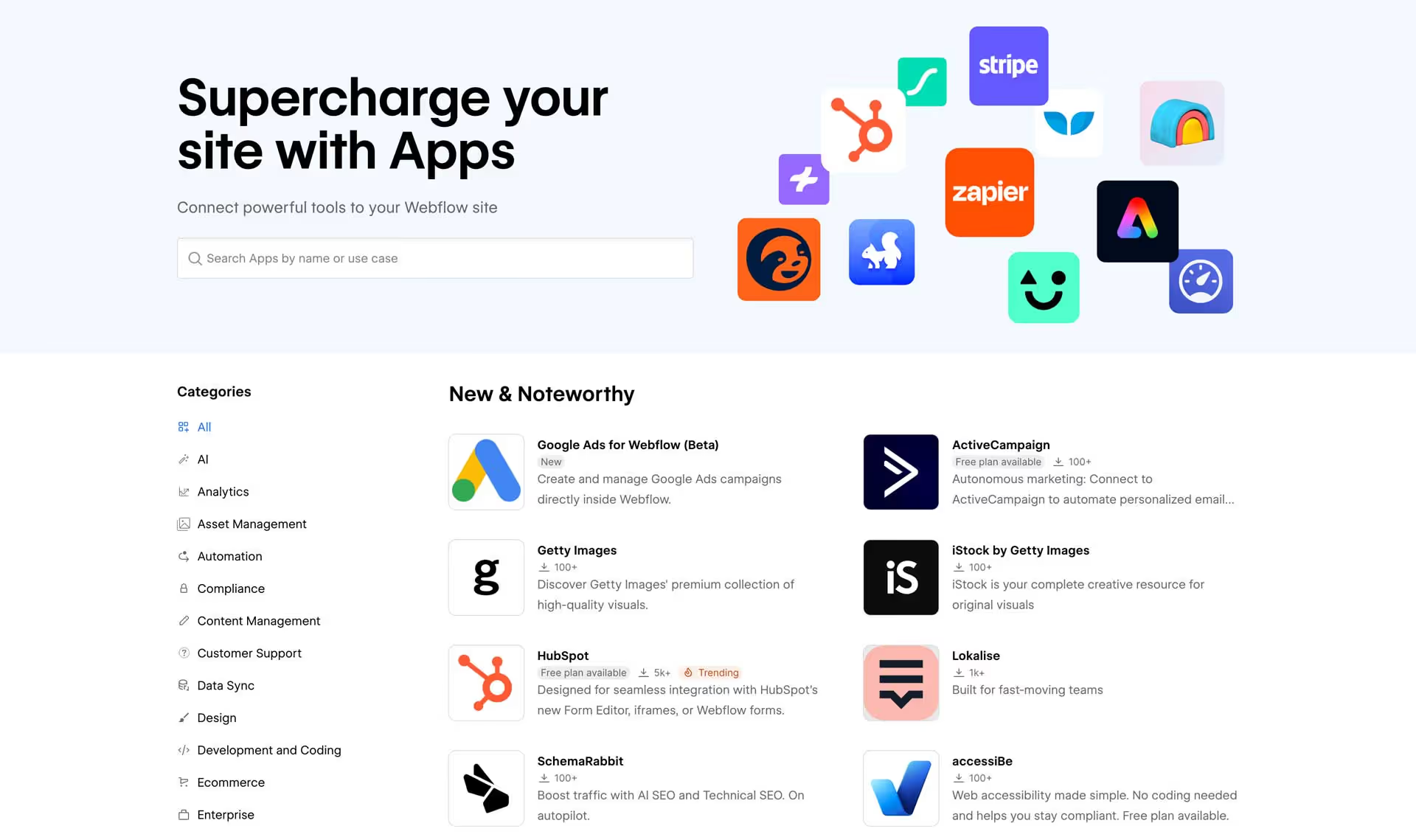
Cross-platform content management
Teams often store structured information in Airtable or Notion. These tools are popular because they combine the simplicity of spreadsheets with database features such as relations, views, filters, and permissions. Content editors feel comfortable working there, especially when they have to maintain large volumes of entries. Integrations ensure this data syncs directly into Webflow CMS, eliminating repetitive updates and preventing inconsistencies between what appears on the website and what is stored internally.
Instead of logging into Webflow to change every single item, a team member can update a record in Airtable and let the integration push the new values into the CMS. This is especially helpful for dynamic pages like product detail views, service packages, locations, team members, or events. When the structure is planned correctly, the integration keeps everything aligned in the background and makes Webflow feel like a live window into the main database.
Large editorial systems and content-heavy platforms
Blogs, learning portals, documentation hubs, and publications rely on integrations to maintain taxonomy, formatting, and metadata across large volumes of content. When there are hundreds or thousands of articles, managing everything directly in the Webflow CMS can become slow for editorial teams. Integrations allow them to manage titles, summaries, tags, categories, and relationships in an external tool, then sync all changes to Webflow.
This structure simplifies content planning and makes it easier to work with multi-author workflows. Editors can build content calendars, mark drafts and ready-to-publish items, and apply consistent metadata rules. Integrations then move only the approved or scheduled content into Webflow. As a result, publishing workflows become smoother, and the risk of leaving outdated or partial content on the website is significantly lower.
Product catalogs and structured listings
Webflow often acts as the presentation layer while product data lives elsewhere. Many organizations choose a dedicated system for managing products, services, properties, or listings, because those systems integrate with finance, logistics, or inventory tools. Integrations keep categories, pricing, and inventory aligned without manual updates.
For example, a real estate company might maintain property information in Airtable, including addresses, agents, status, and media assets. Through an integration, all active listings automatically appear on the Webflow site. When a property is sold or reserved, changing its status in the database can automatically hide or update it in Webflow. The same pattern works for SaaS pricing pages, membership tiers, or course catalogs that change over time.
Multi-source data aggregation
Companies using several platforms benefit from integrations that unify content into a single Webflow CMS structure, improving accuracy and organization. In many cases, data originates from multiple sources: CRMs, support systems, analytics, partner feeds, or internal tools. Without a clear integration workflow, it is difficult to know which version of information is correct.
Integrations help define a chain of responsibility. One system might be the master for customer-facing descriptions, another for status fields, and a third for performance metrics. A webflow integration service can transform and merge these pieces into one combined CMS collection. This makes Webflow a consistent interface for users while allowing the internal stack to remain diverse and specialized.
Interactive directories and search-based experiences
Jetboost powers real-time filtering and instant search, improving usability for large CMS collections like directories, real estate listings, or product catalogs. Visitors do not need to reload the page or navigate through multiple views to find what they need. Instead, they can type in a keyword, apply filters, and see results change immediately.
This kind of experience is especially important when users arrive with a specific intent: finding an apartment in a certain location, filtering services by category, or scanning a resource library by topic. Integrations ensure that the underlying data stays accurate, while Jetboost handles the way that data is explored. When both are in place, even very large collections feel fast and approachable.
Internal dashboards and operational tools
Webflow can serve as an internal dashboard when external data automatically syncs into CMS collections. Some companies prefer a custom, branded interface for their internal tools, rather than generic sheets or tables. By combining data integrations with Webflow layouts, teams can build simple internal portals for tracking progress, visualizing content, or sharing operational information.
For example, a marketing team could have a “campaign overview” dashboard built in Webflow that pulls metrics from external tools. A content team might use Webflow to preview how upcoming content will look once it is live, even before final publishing. Integrations reduce the friction between internal and external views and allow teams to work with the same information in a more friendly format.
What a Webflow integration service includes
A webflow integration service connects Webflow with external systems to ensure accurate data flow, reduce manual tasks, and improve coordination between teams. It is not only about plugging tools together, but also about designing a workflow that makes sense for the organization and its long-term goals.
Data management systems
Airtable and Notion provide structured and collaborative environments for managing information. They allow teams to define custom fields, link records together, and create different views for different roles. Integrations synchronize their content with Webflow CMS, so changes in these tools instantly reflect online.
A well-designed integration defines which tables or databases map to which CMS collections, how references are handled, and how changes should behave when items are removed or archived. This planning step is crucial to prevent data inconsistencies and broken relationships in Webflow.
CRM platforms
Webflow forms can send entries directly to HubSpot or similar CRMs, improving lead management and segmentation. Instead of manually exporting CSV files and importing them into the CRM, form submissions are pushed automatically as contacts, deals, or custom objects.
This connection allows marketing and sales teams to respond faster to new leads, trigger nurturing sequences, and segment users based on their behavior or page context. A webflow integration service makes sure the mapping between form fields and CRM fields is correct and that consent or compliance requirements are respected.
Ecommerce and catalog systems
Shopify often acts as the backend for product management, while Webflow handles storefront presentation. This model is common when a business already has established ecommerce operations but wants more flexibility in the front-end design.
Integrations can sync product details, pricing, categories, and even stock information from Shopify into Webflow. That way, Webflow pages stay in sync with the underlying store logic. Designers and marketers can run campaigns, build landing pages, and adjust layouts in Webflow without touching the ecommerce backend.
Automation platforms
Make and Zapier streamline workflows, reducing manual operational tasks across teams. They allow Webflow to connect to hundreds of other services, using triggers, filters, and actions to automate sequences that would otherwise require manual coordination.
For example, a new Webflow form submission might trigger a flow that creates a record in Airtable, sends a Slack notification, updates a CRM, and registers an event in an analytics platform. A webflow integration service identifies which of these automations are valuable, documents them, and ensures they function reliably over time.
User experience enhancements
Jetboost improves browsing through real-time search, filtering, and dynamic list interactions. Instead of static lists that require pagination or manual scrolling, users can narrow down content by clicking tags, selecting attributes, or typing queries.
From a business perspective, this reduces friction between visitor intent and discovery. Users spend less time searching and more time engaging with relevant content. This often increases time on site, depth of visit, and the likelihood of conversion events such as sign-ups or inquiries.
Whalesync overview
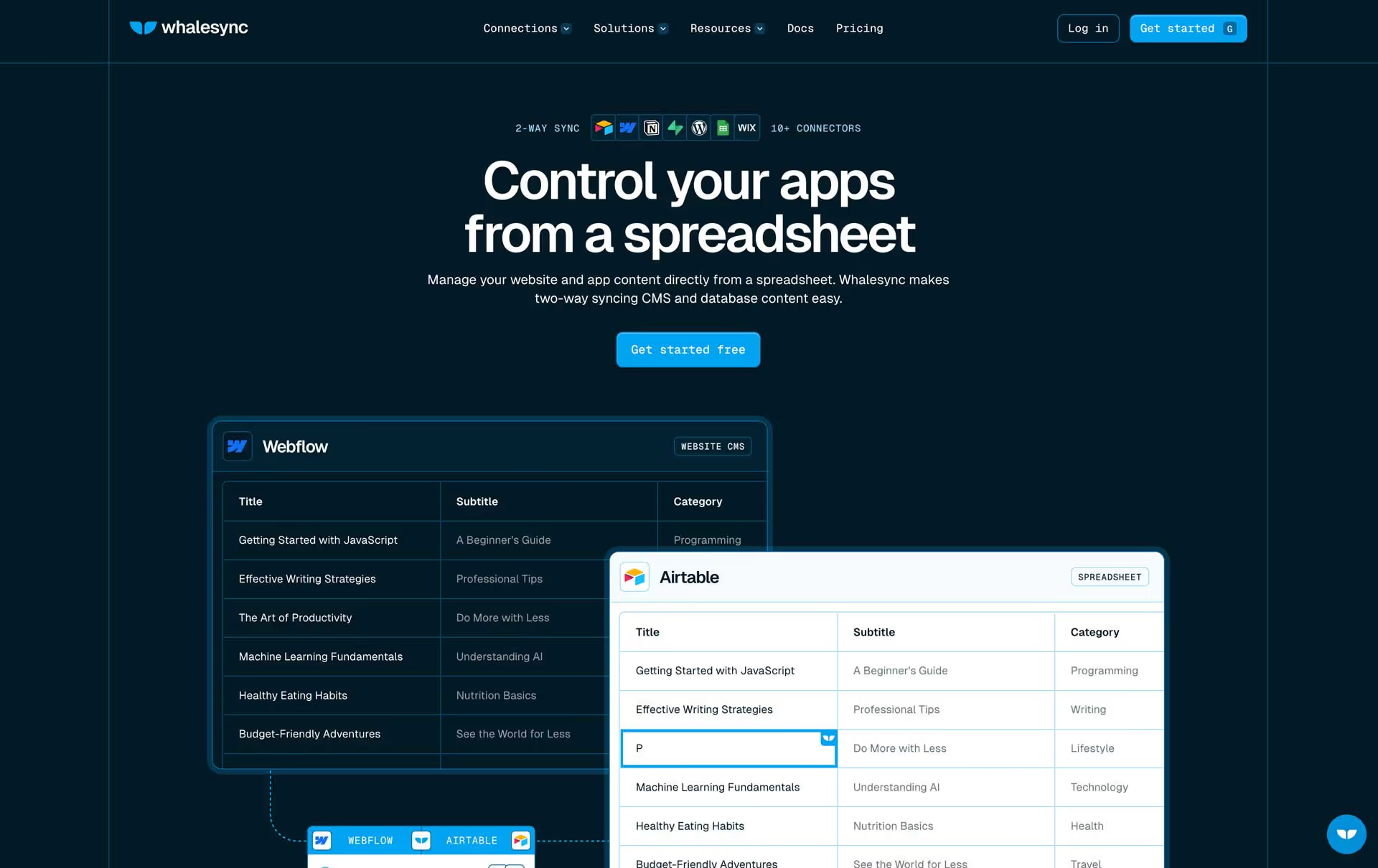
Whalesync synchronizes Webflow CMS with external databases in real time, making it a strong choice for teams that maintain content in Airtable or Notion. It focuses on data accuracy and stability rather than on user interaction. In practice, Whalesync becomes the backbone of the integration layer for many Webflow projects.
Strengths of Whalesync
Real-time updates ensure that changes appear instantly in Webflow CMS. This is especially important when information changes frequently, such as availability, pricing, or status fields. Two-way syncing allows multiple teams to collaborate across different tools. When necessary, content can still be edited inside Webflow, and those changes can be brought back into the main database.
Whalesync supports large datasets with stability. This means thousands of CMS items can be synced and maintained without constant manual checking. By centralizing data management, Whalesync reduces operational complexity. Teams know exactly where they should make edits, and the integration handles the rest.
Limitations of Whalesync
Whalesync does not support user-facing interactions. It does not control how the content is filtered, searched, or displayed to visitors.
It requires a structured database before syncing. Poorly designed tables or unclean data can cause issues during integration.
Cost may scale based on dataset size and complexity of connections, so budgeting should be considered during planning.
Ideal use cases
- High-volume CMS projects with many items across multiple collections.
- Multi-team workflows where different departments contribute data.
- Dynamic content updates that must appear quickly and consistently in Webflow.
- Systems where data accuracy is a core requirement for user trust and internal reporting.
Jetboost Overview
Jetboost enhances Webflow’s user experience by enabling real-time interactions with CMS content. It operates at the presentation level, making content easier to explore without reloading the page.

Strengths of Jetboost
Instant search and filtering for large CMS lists. Users can narrow down content by typing, clicking tags, or choosing filters, and see updates immediately.
Easy to implement without coding. This makes it accessible for designers and content teams who are comfortable in Webflow but do not want to work directly with JavaScript.
Scales well with many categories or tags, which is important for blogs, knowledge bases, or product listings that grow over time.
Improves overall website usability. Visitors find what they need faster, which often leads to better engagement and higher conversion rates.
Limitations of Jetboost
Does not manage backend data or database structure.
Webflow CMS limits still apply to all collections used in Jetboost interactions.
Large collections may require performance optimization through careful structuring, lazy loading, or pagination.
Ideal use cases
- Directories and marketplace-style listings.
- Blogs and educational platforms that organize content by topics, levels, or categories.
- Resource hubs and documentation sites with many entries.
- Job boards, real estate platforms, and product listings where users frequently filter and search.
Comparison: Whalesync vs Jetboost
Whalesync manages backend data flow. Jetboost improves user navigation and content discovery. Together they create a complete integration asset that supports both internal operations and the end-user experience.
How to choose the right integration approach
Choose Whalesync when accuracy, data volume, or collaboration demands are high. It is the right choice when the main challenge is keeping Webflow in sync with authoritative data sources. Choose Jetboost when the priority is user exploration of CMS content. It is the right fit when the core problem is helping visitors quickly find relevant items within large collections.
At Broworks, we often combine both tools to create stable systems with improved user experience. Data flows reliably into Webflow, and visitors interact with that data in a fast and intuitive way.
Architecture for scalable Webflow integrations
A scalable architecture typically includes:
- Airtable or Notion as the data source
- Whalesync as the synchronization engine
- Webflow CMS as the presentation structure
- Jetboost for UX interactions
- Make or Zapier for automation
- GA4 or Looker Studio for analytics
This architecture supports long-term growth and high-volume data workflows. It makes it possible to add new collections, new data sources, or new user flows without redesigning the entire system from scratch.
Conclusion
Whalesync and Jetboost are essential components of a modern Webflow integration system. Whalesync ensures that data remains accurate across platforms, while Jetboost improves how users navigate and engage with content. Used together, they help teams reduce operational workload, improve consistency, and build scalable systems that support sustained growth. With the right webflow integration service in place, organizations can connect their tools, trust their data, and deliver better digital experiences over time.
.svg)
.svg)


