How Webflow Website Development Services Support Scalable CMS Workflows

TL;DR
A growing B2B SaaS marketing team hit a ceiling: publishing slowed down, templates drifted, and developers became the gate for routine updates. By redesigning the CMS around structured content models, reusable components, and governance rules, webflow website development services reduced developer dependency and improved time-to-publish. The biggest win wasn’t aesthetic, it was operational: fewer workflow collisions, higher consistency, and a CMS that could scale with content velocity. Webflow’s CMS capability makes this approach practical when implemented intentionally.
How Webflow website development services support marketing teams with scalable CMS workflows and content ops
Marketing teams rarely ask for “a new CMS model.” They ask for something that sounds simpler:
“We need to publish faster.”
“We need fewer bottlenecks.”
“We need campaigns to ship without breaking the site.”
“We need the content team to stop waiting on dev.”
Those are content operations problems. And the uncomfortable truth is that content ops break most often when the website’s CMS is built like a brochure instead of a system.
That’s why webflow website development services matter in the middle of the funnel. Not because Webflow needs help “looking good,” but because marketing teams need a CMS architecture that can survive growth: more pages, more contributors, more regions, more integrations, more SEO requirements, and more pressure to move quickly.
This case study explains what “scalable CMS workflows” actually mean in practice, the specific Webflow decisions that unlock them, and what changes when the CMS stops being a constraint and starts being infrastructure.
Content velocity is rising, but website workflows often don’t
Even when budgets hold steady, marketing output usually doesn’t. Enterprise teams are still investing in content, and many expect budgets to increase year-over-year, meaning the pressure to publish and repurpose content remains high.
At the same time, “content” is no longer just blog posts. It’s product pages, integration pages, partner pages, resource hubs, landing pages, comparison pages, and localized variants. If the CMS setup is fragile, marketing growth turns into operational debt: every launch increases the chance of inconsistencies, broken layouts, and SEO mistakes.
So the question isn’t “Can Webflow do CMS?” It can. The question is: can your CMS workflows keep quality high while volume increases? Webflow’s CMS supports building structured collections and scalable editing workflows, but the structure has to be designed with content ops in mind.
That is the real job of webflow website development services when you’re past the “first website” stage.
CMS built as storage, not as a workflow engine
Most Webflow CMS setups start as “a place to store items.” That’s normal early on. But at scale, storage is the smallest part of the problem. What matters is the workflow:
- Who can edit what without risk?
- What must be consistent every time?
- Where do variations belong (campaigns, industries, regions)?
- How do we prevent the same content from being duplicated 12 times?
- How do we guarantee SEO fields aren’t forgotten?
When those questions are ignored, the CMS becomes a collection of exceptions. And exceptions don’t scale.
This is where webflow website development services become less about “development” and more about information architecture + governance + systems thinking.
How webflow website development services turn a CMS into content ops infrastructure
The goal isn’t to make marketing “care about CMS modeling.” The goal is to make the website behave like a reliable internal product: predictable inputs, predictable outputs, and guardrails that preserve quality even when people are moving fast.
Below is what changed, and why it matters.
1) CMS modeling: splitting “one big collection” into a content graph
The most common scaling trap is the “mega collection.”
It looks efficient at first: one CMS collection called “Pages” with lots of optional fields:
- hero heading
- hero subheading
- 3 content blocks
- testimonials (sometimes)
- integrations (sometimes)
- use cases (sometimes)
- FAQ (sometimes)
…and so on
The problem isn’t that it’s messy. The problem is that it makes quality impossible to enforce. Optional fields create optional standards. Optional standards create inconsistent pages.
So the work started by designing a content graph: multiple CMS collections with clear responsibility, connected through references.
Instead of “Pages,” they created:
- Campaigns (launch pages tied to a campaign ID, dates, status, owner)
- Solutions / Use cases (problem → approach → outcomes structure)
- Integrations (structured for search intent and partner workflows)
- Testimonials / Proof points (reusable across page types)
- CTAs (centralized so they could be swapped without editing every page)
- Authors (bio, role, social, image, expertise tags)
In Webflow terms, this is not “extra work.” It’s the difference between a CMS you can scale and a CMS you constantly patch. Webflow’s CMS is designed to support structured collections and dynamic relationships when implemented with intent.
2) Component strategy: making “reusable” mean truly reusable
Most teams think they have reusable components because they made symbols/components or copied sections. But copying is not reuse, it’s duplication.
In content ops, duplication causes two long-term problems:
- Consistency drift (the 12 versions of the same CTA)
- Update debt (global changes become a manual cleanup project)
The solution was to treat components as content-driven modules:
- A CTA wasn’t a design element, it became a CMS item with defined fields (headline, subtext, link, button label, tracking tag).
- A testimonial wasn’t pasted onto pages, it became a referenced content item.
- A “proof bar” (stats) wasn’t hand-made each time, it became a module fed by a “Proof Points” collection.
That small mental shift changes everything: designers can still design freely, but the marketing team can assemble pages quickly from approved content building blocks.
Why this matters:
Marketing speed improves most when the team isn’t reinventing the same blocks in every launch.
3) Governance: reducing risk without reducing autonomy
The classic fear is: “If we add governance, marketing will move slower.” The opposite happens when governance is designed correctly. The team moves faster because they stop second-guessing, stop asking for help, and stop cleaning up mistakes.
Governance in this case study meant:
- Defining which fields are “safe to edit” vs “structural”
- Making SEO fields required (and designing the template so missing fields are obvious)
- Creating “editorial rules” inside the CMS itself (naming conventions, tag usage, status fields)
This wasn’t policy theatre. It was operational design.
A useful parallel here is broader governance failure patterns: Gartner has noted that governance initiatives often fail without a forcing function and real operational adoption, meaning governance must be embedded in workflows, not presented as a separate “process.”
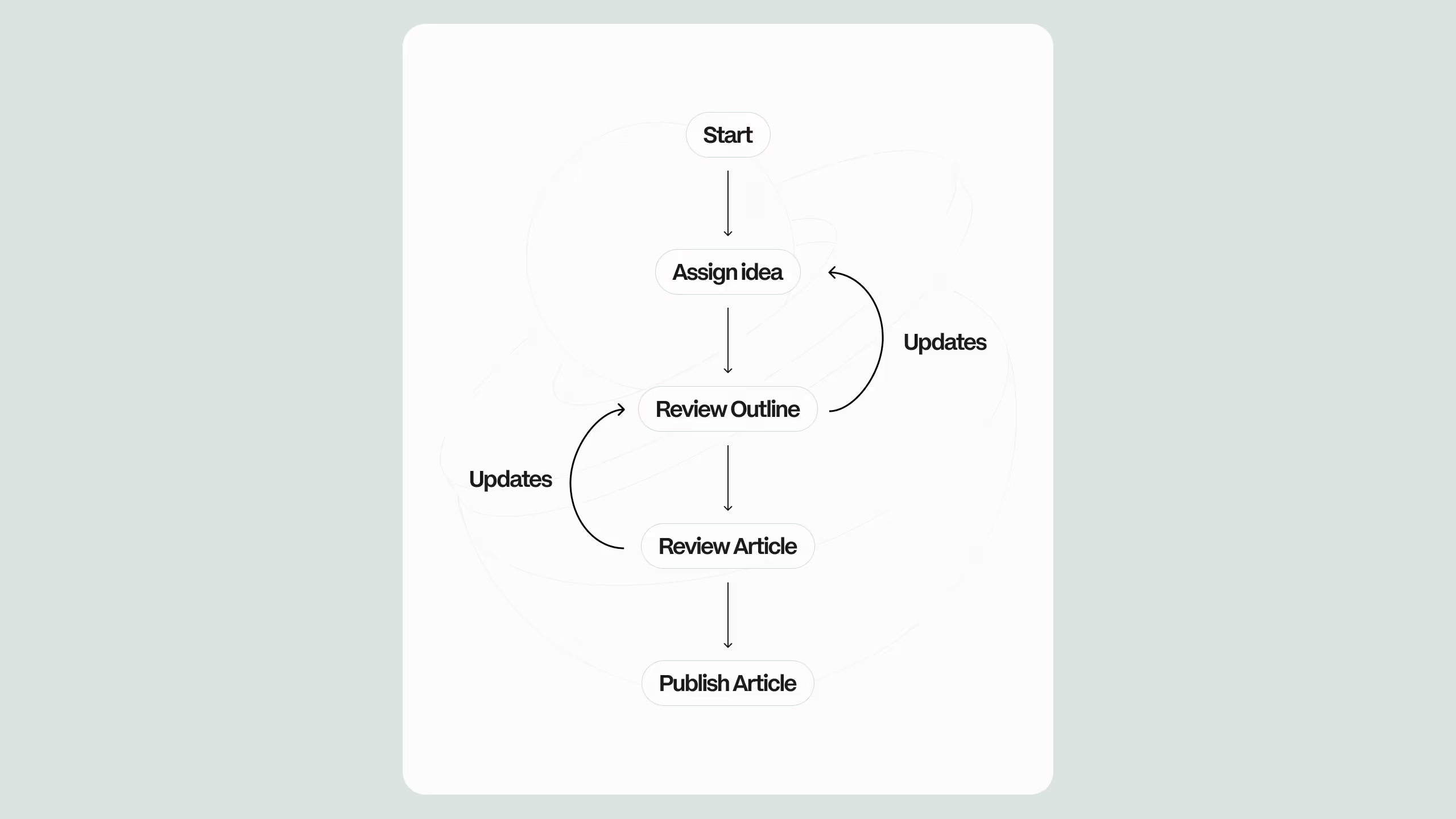
4) Editorial workflow: designing the CMS around how teams publish
Most CMS systems assume a linear workflow: draft → review → publish.
Real marketing teams don’t work like that.
They work with:
- content calendars
- campaign dependencies
- last-minute approvals
- regional variations
- “publish now, fix later” pressure
So the CMS was updated to reflect real workflow states:
- Draft (not review-ready)
- In review (awaiting approval)
- Scheduled (ready, date locked)
- Published
- Archived
Each state had a purpose:
- Prevent publishing incomplete pages
- Reduce “where are we on this?” Slack messages
- Make reporting easier (what shipped this month vs what stalled)
It sounds basic, but it’s the difference between a CMS being “a database” and being “a workflow tool.”
5) Integrations and content ops: connecting the CMS to planning and CRM
In most organizations, content doesn’t start in Webflow. It starts in a doc, a task, a spreadsheet, a CRM note, or a campaign plan.
So the team connected CMS operations to upstream and downstream systems:
- Upstream: planning (campaign IDs, owners, deadlines)
- Downstream: CRM attribution and segmentation
This matters because marketing leaders don’t measure “published pages.” They measure pipeline influence, signups, conversions, and assisted revenue. When CMS items carry structured metadata (campaign, product line, audience, region), reporting becomes significantly more reliable.
If you want a related service pathway for this kind of work, the most direct internal route is your Webflow build/support offering:
Webflow Development Services
The outcomes: what improved (and what improved because of what)
This is where most case studies get lazy: they list results without tying them to decisions. Here’s the clearer cause-and-effect mapping from this project.
Outcome A: Faster publishing cycles (because assembly replaced rebuilding)
When reusable modules became CMS-driven components, pages stopped being “built from scratch.” They became assembled:
- pick a template
- select CTA module
- select proof points
- select testimonial set
- publish
The time savings compounds with each launch because the system becomes muscle memory.
Outcome B: Fewer developer interrupts (because structural risk was removed)
Once editors had safe fields and locked structure:
- developers stopped being “content QA”
- marketing stopped needing help for routine changes
- the dev team could focus on higher-leverage improvements (performance, experiments, new modules)
Outcome C: Higher consistency (because optional standards were eliminated)
By removing mega-collections and enforcing structured fields, the site got more uniform without feeling templated.
CMS workflow comparison table
The “why this works in Webflow” layer (not generic CMS advice)
A lot of CMS advice sounds the same across platforms. What makes this specifically Webflow-friendly is that Webflow allows the same team to control:
- CMS structure
- dynamic templates
- reusable design systems
- publishing workflows
That means the feedback loop is faster. You can model content, see how it renders, adjust the template, and ship improvements without waiting for a separate engineering cycle, especially when the CMS is set up following Webflow’s own CMS and dynamic content principles.
That’s the operational advantage that webflow website development services can unlock when the work is approached as systems design, not page production.
What most teams get wrong (and how to fix it)
If your current CMS is painful, it’s rarely because the team is “messy.” It’s because the system rewards messy behavior.
Three common mistakes:
- Treating “flexibility” as infinite optional fields (it becomes chaos).
- Copy/pasting blocks across pages (it becomes drift).
- Adding governance as documentation (it gets ignored).
The fix is structural:
- reduce optionality where standards matter
- convert repetition into reusable referenced modules
- embed governance into the CMS and templates
What to evaluate if you’re considering a rebuild
If you’re reading this mid-funnel, you’re probably not asking “Should we use Webflow?” You’re asking whether your Webflow site is operationally mature.
A quick self-check:
- Can a new marketer publish a campaign page without breaking anything?
- Do templates enforce SEO basics consistently?
- Can you swap CTAs globally without hunting down copies?
- Do you know which pages belong to which campaign, product line, or region?
If those answers aren’t clear, webflow website development services should be evaluated as a CMS workflow improvement, not a redesign.
For teams exploring what “ongoing” support looks like after the initial system is fixed, the most natural navigational next step is your contact path:
Contact Webflow agency
.svg)
.svg)