Clutch badge

Migration der Website zu Webflow Services

Migrieren Sie jede Plattform zu Webflow mit fachkundigem Design, SEO und einem reibungslosen, stressfreien Prozess.

Mehr als 150 SaaS-, Technologie- und Beratungsmarken vertrauen uns

WordPress to Webflow migration: cost, timeline, and SEO-safe process

What it is

Migration from WordPress to Webflow with preserved SEO, improved performance, and scalable CMS structure.

Best for

Websites with plugin bloat, slow performance, security issues, or redesign needs.

Typical cost

Mid–high 4-figure to 5-figure projects depending on page count, CMS complexity, and integrations.

Timeline

4–6 weeks for most projects, depending on content readiness, CMS structure, and feedback cycles.

What’s included in your WordPress to Webflow migration

Audit & Benchmarking
We analyze how your brand currently appears across AI engines, ChatGPT, Perplexity, Copilot, Claude, and identify content gaps, visibility issues, and broken signals.
Entity
Mapping
We define your brand, products, services, people, and relationships using semantic principles so LLMs can understand who you are and what you do.
3D illustration of eight white cubes interconnected by green rods forming a cube lattice structure.
Schema Implementation

We apply FAQ, HowTo, Article, Organization, Product, and custom schema to give AI engines clean, structured data to work with.

3D molecular structure model with white rods and green spheres connected in a spherical arrangement.
Content Restructuring for AEO

We rewrite and reorganize key pages so they are answer-ready: question-first, intent-aligned, and contextually complete.

AEO Visibility Tracking
We track LLM citations across multiple engines and monitor how your content is indexed, referenced, and surfaced.
Ongoing Optimization
AI models evolve. So does your AEO strategy. We continuously adjust schema, structure, and content to keep you visible as the landscape shifts.

Structured migration with SEO preservation

Migration includes full URL mapping, 301 redirects, and content parity to maintain rankings and traffic.

Clear timeline and delivery scope

Most projects are delivered in 4–6 weeks depending on page count, CMS complexity, and content readiness.
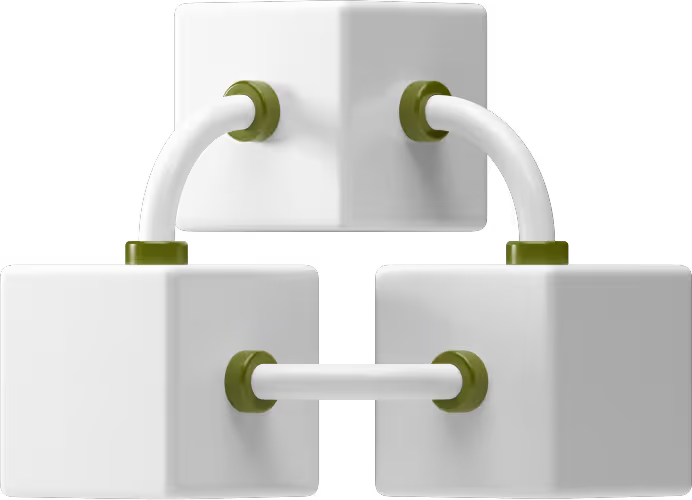
Three white cubes connected by white and green cylindrical rods, forming a triangular network.

CMS and content restructuring

Content is reorganized into a scalable Webflow CMS with clear page relationships and structure.
3D illustration of a dashboard interface with a pie chart and bar graph.

Performance and Core Web Vitals improvements

Websites are optimized for faster load times, improved Core Web Vitals, and better overall performance.

Analytics and tracking migration

GA4, Google Search Console, and tracking tools are migrated and validated at launch.

Conversion-focused page structure

Your WordPress to Webflow migration includes a high-converting redesign.

OUR PROCESS

Audit & planning

Typically 4–5 business days

We analyze your existing WordPress site to understand how content is structured, how it performs in search, and where issues may impact migration. This step ensures nothing critical is lost during the transition.

Deliverables

Website audit report

Risk assessment

Content and structure analysis

Two men seated at a desk, focused on a laptop, engaged in a collaborative discussion.

Development & implementation

Typically 5–10 business days

We translate your existing WordPress content into a scalable CMS structure in Webflow. This ensures content is organized, reusable, and aligned with both SEO and user intent.

Deliverables

CMS architecture (collections and fields)

Page structure and hierarchy

Content mapping document

Internal linking plan

Person in green shirt typing on a laptop displaying a color-coded spreadsheet while another person sits blurred in the background.

Content & CMS mapping

Typically 5–10 business days depending on scope

We develop your website in Webflow using a structured system that ensures scalability, performance, and easy content management. This phase translates approved designs and content into a working site, while setting up all required integrations and tracking.

Deliverables

Fully developed Webflow website (staging environment)

CMS collections with structured content

Integrated forms, CRM, and automation workflows

Analytics and tracking setup (GA4, GSC)

Performance-optimized pages ready for launch

Person wearing a green shirt typing on a black laptop keyboard with beige pants visible.

QA & validation

Typically 4–5 business days

Before going live, we test the entire website to ensure content, structure, performance, and tracking are all working correctly. This step minimizes risk and prevents issues after launch.

Deliverables

QA checklist (completed and validated)

Redirect validation report

Performance checks

Fully tested staging website

Two men focused on a laptop screen at a white desk, one seated in a gray sweater and the other standing in a red and blue plaid shirt.

Launch

Typically 1-3 business days

We launch your Webflow site using a controlled process that ensures minimal disruption and preserves SEO signals. This includes domain configuration, redirect activation, and validation of tracking.

Deliverables

Live Webflow website

Active redirects and domain setup

Verified tracking (GA4, GSC)

Launch checklist completion

Two men working on laptops at a shared office desk with a white wall background.

Explore Webflow migration scenarios

Different teams require different migration approaches depending on timeline, complexity, and business goals. Explore the most common Webflow migration scenarios:

Webflow im Vergleich zu anderen Plattformen

Funktionen
Hosten
Plugins erforderlich
Flexibilität bei der Gestaltung
Wartung
Geschwindigkeit und Sicherheit
Wordpress
Hängt vom Hosting-Anbieter ab
Mehrere Plugins für grundlegende Funktionen
Themenabhängig, limitiert ohne Code
Regelmäßige Updates und Sicherheitsüberprüfungen
Anfällig für Plugin-Konflikte

Funktionen

Webflow

Andere Plattformen

Hosten
Verwaltet und optimiert
Je nach Plattform variiert
Plugins erforderlich
Keine (Alles eingebaut)
Erfordert oft Plugins oder Add-Ons von Drittanbietern
Flexibilität bei der Gestaltung
100% visuell und anpassbar
variiert, oft ist der Code oder die Vorlage begrenzt
Wartung
Automatisch verwaltet von Webflow
Verändert, erfordert möglicherweise manuelle Updates
Geschwindigkeit und Sicherheit
Standardmäßig schnell und sicher
Abhängig von Hosting, Plugins und Einrichtung

Unsere Migration

Entdeckung, Planung und Strategie

Beurteilen Sie Ihr aktuelles WordPress-Setup. Plane deine neue Webflow-Struktur.

Migration und Entwicklung

Erstellen Sie Inhalt, Design und Funktionalität in Webflow neu.

Testen, QA und

Testen Sie auf Fehler, Leistung und SEO-Integrität. Reibungsloser Start mit laufendem Support.

Improved security and reduced maintenance

est for bugs, performance, and SEO integrity. Seamlessly launch with ongoing support.

What It’s like working with Broworks

Real conversations with marketing teams on redesigning, migrating, and scaling their websites.

Jillian Renken

Marketing Manager at Frontera Search Partners

Salvatore Internullo

Chief Growth Office at MINT

Bereit, WordPress-Probleme hinter sich zu lassen?

Steigen Sie auf die Geschwindigkeit, Sicherheit und Gestaltungsfreiheit von Webflow um. Keine Ausfallzeiten. Kein Verlust von SEO. Nur reine Webflow-Leistung.
Geschichten von Broworks

Schauen Sie sich die Erlebnisse an, die wir bei Broworks, einer Webflow-Entwicklungsagentur, kreieren und leben. Lesen Sie mehr über unseren Prozess und unsere Kunden und erhalten Sie neue Tipps und Tricks.

Unser Blog

Häufig gestellte Fragen zu den wichtigsten Schritten und Überlegungen für die Migration von Websites von verschiedenen Legacy-Plattformen in eine flexible, skalierbare Webflow-Umgebung

Frage 1: Wie gehen Unternehmen mit der Migration von weniger bekannten oder proprietären CMS-Plattformen um?

Frage 2: Welche Herausforderungen ergeben sich, wenn Inhalte nicht einfach von der Originalplattform exportiert werden können?

Q3: Wie funktionieren Weiterleitungen, wenn auf der alten Plattform unkonventionelle oder automatisch generierte URLs verwendet wurden?

Q4: Können Marketingteams ihre Analyse-, CRM-Tracking- und Automatisierungs-Workflows nach der Migration beibehalten?

Q5: Wie werden visuelle Inkonsistenzen älterer Plattformen während einer Neuerstellung behoben?

Frage 6: Welche langfristigen Vorteile sehen Unternehmen, wenn sie veraltete Systeme verlassen?