Sales Efficiency: Fueling Webflow Enterprise & HubSpot Sales Funnel

TL; DR
Enterprise deals are often won or lost in the first invisible moments of buyer research. A Webflow enterprise and HubSpot sales funnel connects real-time behavioral data with adaptive website experiences, giving sales teams early insight into intent before prospects ever request a demo. By aligning dynamic CTAs, role-specific journeys, and automated sales triggers, teams engage buyers with relevance and timing rather than guesswork. The result is higher-quality conversations, faster internal alignment, and a measurable edge in competitive enterprise sales cycles.
For enterprise sales teams, the Webflow enterprise and HubSpot sales funnel combination creates something powerful: a top-of-funnel experience that captures prospect intent, personalizes the conversation path, and ensures your sales team can respond with precision before your competitors even know the opportunity exists. The difference between a prospect that converts and one that vanishes often comes down to how intelligently you manage those crucial first interactions.
The Critical First Moments: Why Webflow Enterprise and Hubspot Sales Funnel Determines Revenue
Here's what typically happens when a qualified prospect lands on your enterprise website: they explore your solutions, maybe download a resource, and leave. Meanwhile, your sales team has no idea this high-value visitor spent 12 minutes evaluating your pricing tiers or that they returned three times this week.
By the time that prospect finally takes action towards any of your CTA’s, your competitor has already scheduled a demo.
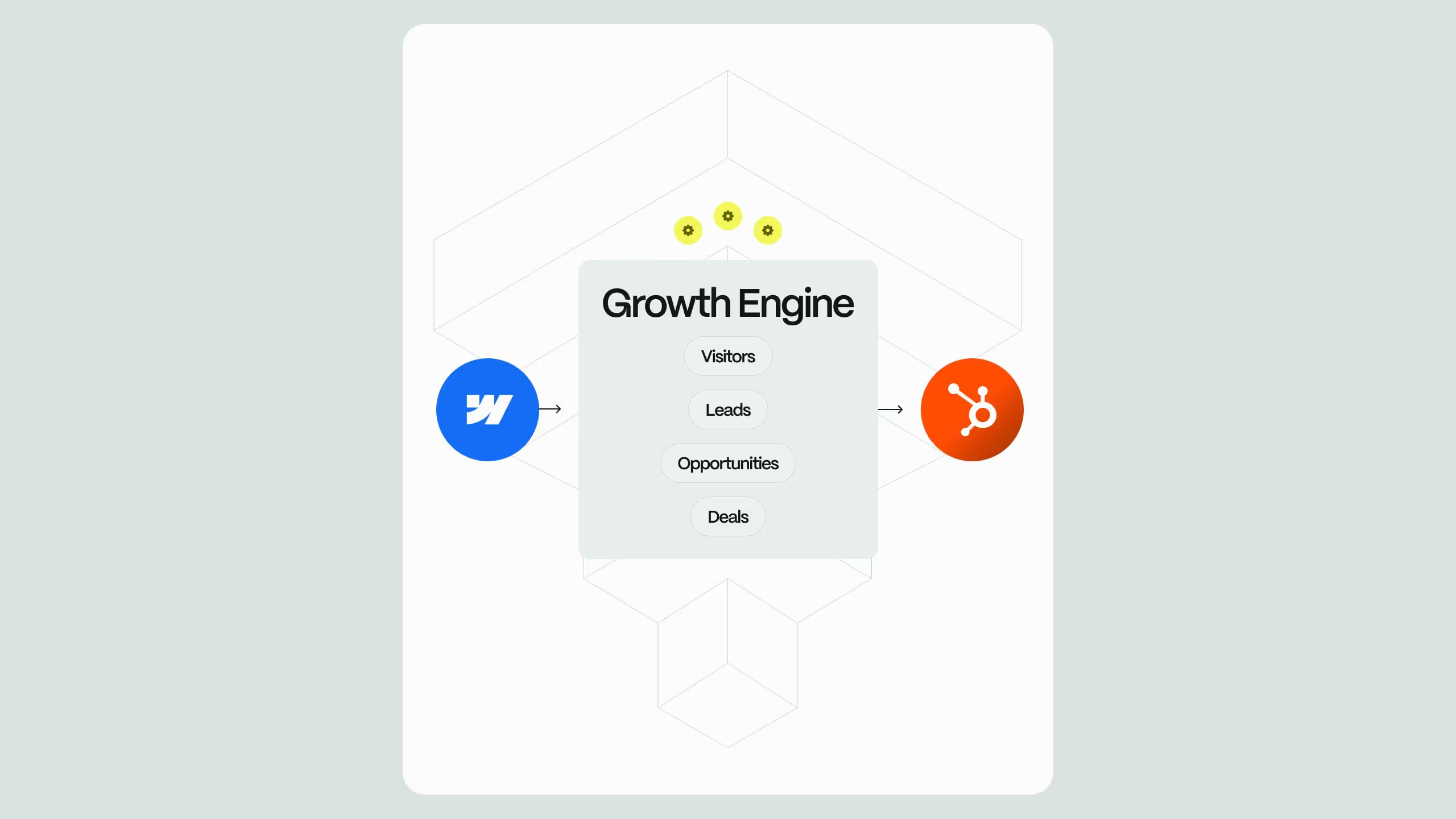
This is where the Webflow and HubSpot integration steps in. It solves this intelligence gap at the exact moment it matters most. Every page view, every content interaction, every behavioral signal flows directly into your CRM in real-time, giving your sales team the visibility they need to engage while prospect interest is still hot.
Strategic CTAs: Turning Browsers into Engaged Prospects
Your call-to-action strategy needs to match where prospects are in their research journey. Enterprise buyers spend significantly more time researching purchases independently than they did previously, which means your CTAs need to offer value at every stage without forcing premature commitment.
1. The Progressive Engagement Approach
Think of Webflow and HubSpot working together as a single system that observes buyer behavior, interprets intent, and helps sales respond at the right moment. Instead of pushing every visitor toward a "Request Demo" button, create multiple conversion paths that match different research phases to accommodate each phase of the buyer's journey.
Here is how:
- Early Stage: Offer educational resources like industry reports, ROI calculators, or solution comparison guides that require minimal information (just email and company name),
- Evaluation Stage: Provide deeper technical resources, implementation guides, or customer case studies that justify asking for more details about their use case,
- Decision Stage: Present demo requests, personalized consultations, or pilot program applications for prospects showing strong buying signals.
HubSpot’s role is invisible but critical: it quietly tracks what the visitor reads, how long they stay, and what topics they care about, even before they ever fill out a form. So when a prospect downloads your early-stage resource, HubSpot tracks that engagement. When they return and interact with more substantial content, the system recognizes this as increased intent and can automatically adjust what you offer them next.
2. Dynamic CTAs Based on Behavioral Intelligence
With HubSpot's native compatibility, your website can display different CTAs based on what the system already knows about each visitor. A prospect who previously downloaded your security whitepaper sees a CTA for a compliance-focused case study. Someone who reviewed your enterprise pricing page gets prompted toward an ROI consultation.
This level of personalization dramatically improves conversion rates because you're offering precisely what each prospect needs at that moment. To conclude, at this point the website is offering personalization of your customers' conversation path, not a generic pitch that may or may not resonate. Instead of reaching out with a generic “Just checking in,” you can reference exactly what they’ve been evaluating and position yourself as helpful, not pushy.
Conversation Paths: Guiding Complex Buyer Journeys
Having in mind that enterprise deals involve multiple stakeholders with different concerns, an average deal takes six to nine months to close the top of your funnel should be sync and optimized to work seamlessly.
Creating Role-Specific Journeys
The Webflow and HubSpot integration enables you to design distinct conversation paths based on how prospects self-identify or what their behavior reveals about their role;
For instance, when someone selects "IT/Engineering" on your initial form, they automatically enter a conversation path emphasizing technical documentation, integration capabilities, and implementation timelines. HubSpot triggers a workflow that delivers technical resources over the following days, gradually building their confidence in your solution's capabilities.
Meanwhile, an executive who downloads your business case template enters a completely different path focused on strategic outcomes, competitive positioning, and executive-level proof points.
Teams can create role-aware conversation paths that adapt based on how prospects identify themselves or how they behave on the site. Technical stakeholders are guided toward documentation, integrations, and implementation details that reduce perceived risk, while executive audiences are presented with strategic narratives, ROI validation, and competitive proof. Each path builds confidence in ways that matter to that specific role.
The result is a coordinated funnel where every stakeholder receives relevant information at the right time, internal alignment happens faster, and sales teams gain visibility into how the buying committee is forming, long before a formal sales conversation begins.
Multi-Threaded Account Engagement
Because HubSpot tracks all contacts within an account, you can orchestrate conversations across multiple stakeholders simultaneously. When three different people from the same company engage with your site, your sales team sees the complete picture: who's researching what, which concerns are surfacing across the buying committee, and who might be championing your solution internally.
The Webflow forms capture the individual while HubSpot connects the dots across the entire buying committee giving you the multi-threaded visibility that complex enterprise deals demand.
This visibility enables your sales reps to craft outreach that acknowledges the multi-stakeholder dynamic rather than treating each contact as an isolated lead.
1. Messaging That Converts: Personalization at Scale
Every interaction from Webflow automatically flows into HubSpot, creating a complete behavioral history for each contact. For sales people, this is insight into how prospects research, evaluate, and engage with your solutions. That leads us to true personalization based on demonstrated interest rather than demographic assumptions.
Behavioral Triggers for Relevant Messaging
When a prospect spends significant time on your healthcare compliance page, your follow-up messaging should specifically address healthcare industry challenges, not generic value propositions. HubSpot workflows can automatically tag prospects based on the content they engage with, ensuring every subsequent message references their specific interests.
If someone downloads your "Enterprise Migration Guide," they're signaling concern about implementation complexity. Your automated follow-up sequence should address migration timelines, dedicated support resources, and customer success stories about smooth transitions.
With this information, reps can craft personalized messages that resonate with each prospect. Instead of sending generic outreach emails or blanket follow-ups, sales teams can reference specific resources the prospect interacted with, acknowledge their role in the buying process.
2. Automation That Empowers Sales Teams
Timing matters enormously in enterprise sales. Research shows that companies responding to leads within one hour are seven times more likely to qualify that lead compared to those who wait even an hour longer (Harvard Business Review). When enterprise deals can reach six or seven figures, being first to engage with relevant, personalized outreach often determines who wins the opportunity.
Automatic Lead Routing to the Right Rep
When a prospect submits a form on your Webflow site, HubSpot can instantly route that lead based on sophisticated criteria: industry, company size, geographic region, product interest, or any combination of factors. A financial services prospect automatically goes to your fintech specialist. Enterprise-level inquiries bypass standard qualification and land directly with senior account executives.
This intelligent routing ensures prospects receive relevant expertise from their very first interaction, rather than being handed off multiple times as they progress through your sales process.
Pre-Qualified Intelligence for Sales Outreach
When your sales rep clicks on a new lead in HubSpot, they don't see a blank slate, they see a complete behavioral history. Which pages this prospect visited, what content they downloaded, how many times they've returned to your site, which solutions caught their attention, and how their engagement compares to typical buying patterns.
Your rep can craft outreach that demonstrates understanding: "I saw you reviewed our integration capabilities with Salesforce and downloaded our API documentation. Are you currently evaluating how our platform would fit into your existing tech stack?"
This level of preparation transforms cold outreach into warm, consultative conversations.
Automated Task Creation for Critical Moments
HubSpot workflows can automatically create tasks for your sales team at pivotal moments. When a prospect who received a proposal returns to your pricing page, a task appears in your rep's queue: "Prospect re-engaged with pricing, may indicate active comparison shopping or internal discussions."
When multiple stakeholders from the same account engage within a short timeframe, your rep gets alerted that the buying committee is actively convening, a perfect time to offer a group demo or executive briefing. These automated prompts ensure your team never misses an opportunity to engage at exactly the right moment, even when managing dozens of active opportunities simultaneously.
.svg)
.svg)